1.24.0
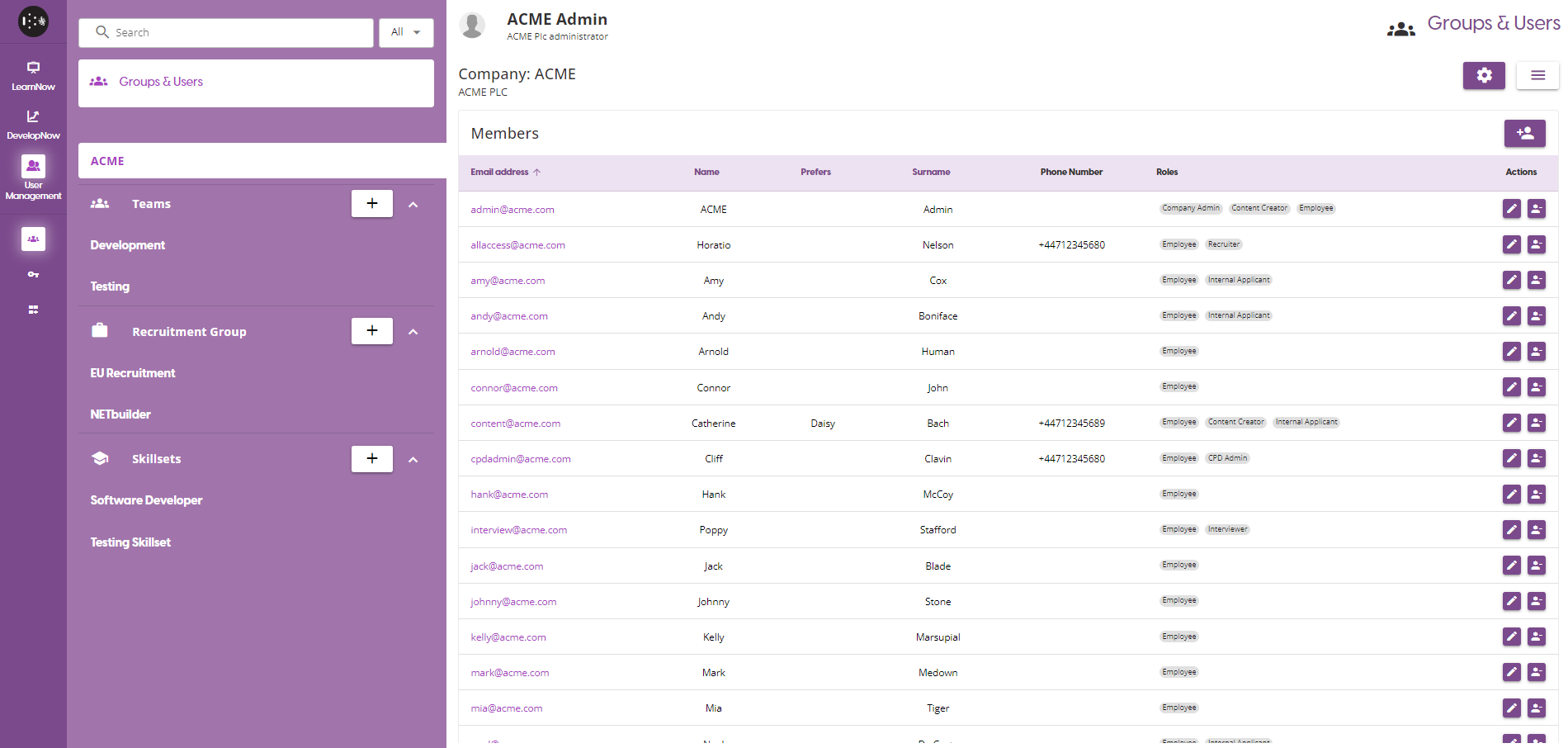
A look at the User Management redesign
Features :
HireNow - Extenuating Circumstances
One of our aims for the platform is to make it as easy and intuitive to use as possible. If we try to apply these principles to the previous process for giving an applicant extra time for an assessment, there was a lot of room for work.
This has lead to us creating the Extenuating Circumstances feature. This is a option available to the recruitment admin when viewing any individual application. As a Recruitment admin, you will be able to check an application and select the amount of additional time given to any assessments part of that campaign.
For more information and a guide, see the Extenuating Circumstances section of Managing Applications - Extenuating Circumstance user guide
HireNow - Updated Reason for Rejection list
We have been collecting feedback given to us since the last release, and from that information we have found a few more relevant Reasons for Rejection. The new reasons available on the list are:
- Failed Technical Interview
- Unable to join on starting date
- Overqualified
- Campaign has finished
This was only possible due to your feedback, so please keep communicating with us at support@skillsnow.com or features@skillsnow.com.
DevelopNow - Certificates
We have created a new section on both the Personal and Team Development pages - Certificates
This feature will allow a user to upload certificates against their profile, as opposed to against a course or a material (which have been refactored to Proof Of Completion)
You will be able to upload any certificate directly from your Personal development page with an expiry date, which can then be viewed by your Team Leader on the Team Development page.
A more detailed on Certificates can be viewed here: Personal Development - Certificates
User Management - Redesign
We have found, through customer feedback and our own use of the platform, that the original User Management design has not scaled well. With large amounts of users and teams, the portal was difficult to navigate and clunky to do big operations.
Therefore, we have done a complete re-design of the User Management portal. While there are no new features we have introduced, we have moved around a lot of the existing ones to new pages or more sensible locations. The biggest changes to the User Management portal are:
- All User Groups are in the Tab List now, and separated by group type.
- You can now assign multiple users at once to the platform/user group.
- When assigning users to a group, you have to option to add or remove skillsets.
The changes are too numerous to list them all here, so please consult the User Management User Guides
Bugs, Defects & Other Changes :
DevelopNow - Skillset Selection
When viewing a user who is associated with multiple Skillsets, you will now see a dropdown to switch between the different Skillsets.
LearnNow - Update Training Path Re-assignment message
We have updated the help message when creating a new version of a Training Path to be easier to understand and better reflect the actual behaviour of the feature.
LearnNow - Certificates refactored to Proof Of Completion
The old certificate upload feature, which allows you to upload documents against completed external courses and materials, has been renamed to Proof of Completion to more accurately represent the process.
User Management - User Group name validation
Added validation checking when creating User Groups so that groups with duplicate names cannot be created.
DevelopNow - Course Preview
We have hidden the assessment answers from the Course Preview window, to prevent users from seeing the correct answers via the Personal Development page.
DevelopNow - Review Process validation
Fixed an issue where the validation message associated with using the same name as another Review Process was being hidden.
Known Issues:
-
Custom background images for Review Meetings and Interviews are not displaying. The default images, and the blur option, are both working as intended.
-
Clicking the Download button will open a file viewer in the same window you are viewing SkillsNow, instead of in a new tab. Please be aware that this can cause issues when using features such as Interviews, where you will not be able to click the back button to Join.
Minor Releases
1.24.1
- Fixed an issue with Course Materials - Assessments that was causing the dialog to always appear blank.